

In the world of virtual executive assistance, productivity is key. For principals and school administrators, partnering with a Virtual Executive Assistant (VEA) offers an efficient solution to tackle various tasks. From administrative support to social media and content creation, VEAs handle numerous responsibilities. This blog covers the top productivity hacks to help VEAs maximize their impact while simplifying school operations.
1. Organize Tasks with a Priority Matrix
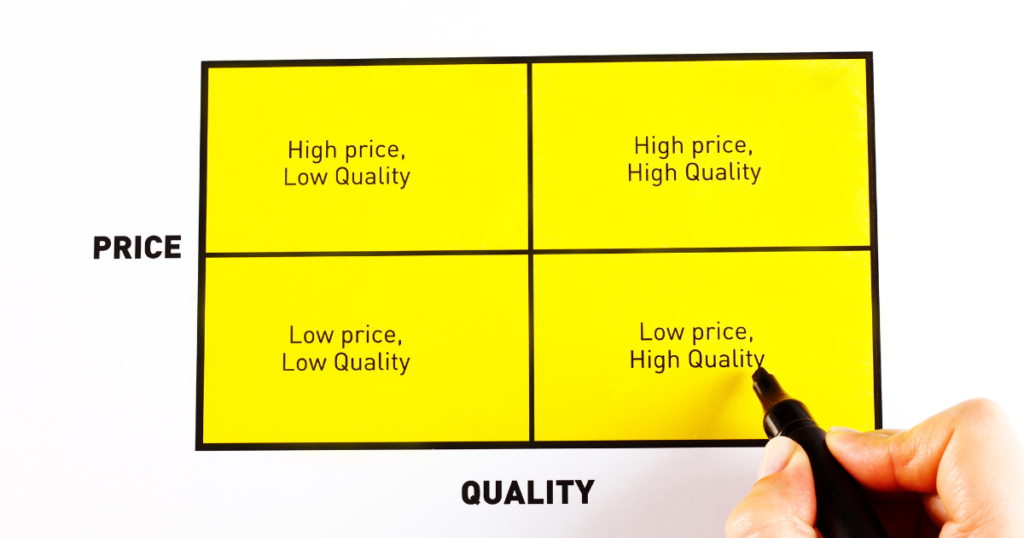
One of the most effective ways to manage tasks is by prioritizing them. Using a priority matrix helps VEAs focus on urgent, high-impact tasks while keeping track of lower-priority ones. This matrix allows for quick adjustments and reduces stress, making sure essential work gets completed on time.
Pro Tip: Start each day by categorizing your tasks to prevent overwhelm.
2. Automate Repetitive Tasks

Automation is a game-changer for VEAs. By automating repetitive tasks like data entry, reminders, or basic email responses, you save time for more critical work. Tools like Zapier and IFTTT can connect your apps and automate workflows, reducing manual work and enhancing efficiency.
Suggested Automation Ideas:
- Automate email filtering and labeling.
- Schedule social media posts in bulk with tools like Buffer or Hootsuite.
- Set automated reminders for recurring meetings.
3. Set Clear Goals for Each Week

Setting clear goals is essential for staying focused. Outline specific goals for the week and break them into smaller tasks. This structure allows VEAs to track progress and stay motivated. Weekly goals also help principals and administrators see a VEA’s contribution to larger projects.
Goal-setting tip: Set two or three key objectives for the week and adjust as needed.
4. Use Templates for Common Tasks

Templates streamline repetitive work and ensure consistency. Whether it’s drafting emails, preparing reports, or creating social media content, templates save time and maintain a professional tone. By organizing templates in a central folder, VEAs can access them quickly when needed.
Example Templates to Create:
- Standardized email responses for common inquiries.
- Social media post formats for quick scheduling.
- Monthly report templates with pre-set sections.
5. Time-Block Tasks to Avoid Distractions

Time-blocking dedicates set periods for specific tasks, reducing interruptions and increasing focus. Use tools like Google Calendar to allocate time for each responsibility, from emails to content creation. By structuring the day with time blocks, VEAs can concentrate fully on each task without multitasking.
Best practices for time-blocking:
- Block shorter periods for tasks that need frequent attention, like emails.
- Dedicate longer blocks for deep-focus tasks like report writing.
6. Use Communication Tools Wisely

Communication is key to a productive VEA-principal relationship. Use messaging platforms like Slack or Microsoft Teams for quick updates, and email for detailed discussions. Schedule a weekly check-in meeting to review tasks, ensuring alignment on goals and priorities. This balance minimizes constant back-and-forth communication.
Tips for Effective Communication:
- Use chat tools for immediate questions or updates.
- Reserve email for detailed information.
- Set a weekly meeting to discuss tasks and resolve challenges.
7. Track Tasks with Project Management Tools

A project management tool helps organize and track tasks, ensuring nothing falls through the cracks. Tools like Trello, Asana, or Monday.com offer visual layouts to monitor progress on each project. VEAs can add deadlines, assign tasks to different team members, and check off completed work, keeping everything on track.
Recommended Tools:
- Trello for simple task tracking with visual boards.
- Asana for detailed task assignments and deadlines.
- ClickUp for combining task management and communication.
8. Batch Similar Tasks Together

Batching tasks involves grouping similar activities to complete them more efficiently. For example, handling all emails at once, drafting multiple social media posts in one session, or processing reports in one go. Batching minimizes context switching, helping VEAs maintain focus and speed up task completion.
Suggested Task Batches:
- Group emails and responses.
- Schedule social media content creation in one sitting.
- Complete data entry tasks in a single session.
9. Set Boundaries to Avoid Burnout

Boundaries are essential for sustainable productivity. Define working hours and include short breaks to recharge. This structure helps VEAs stay productive without feeling overwhelmed. Taking breaks also boosts focus and efficiency, ensuring high-quality work.
Tips for Setting Boundaries:
- Use a timer for tasks, followed by a short break.
- Set “off” hours when you are not reachable unless it’s urgent.
- Include a lunch break in your daily schedule for a mental reset.
10. Continuously Reflect and Improve

Reflection is crucial for personal and professional growth. At the end of each week, evaluate what went well and identify areas for improvement. This process enables VEAs to refine their methods and work more effectively over time. Keep a productivity journal to record insights, challenges, and achievements.
Reflection Tips:
- Take 10 minutes every Friday to jot down key successes and challenges.
- Use reflections to set improvement goals for the following week.
- Share your reflections with the principal to align on any adjustments.
Conclusion
By following these productivity hacks, Virtual Executive Assistants can streamline their workload and deliver high-quality support to principals and school administrators. Each strategy—whether it’s setting clear goals, using automation, or establishing communication channels—helps VEAs stay organized, reduce stress, and enhance performance. With these practices, VEAs can transform school management, freeing up principals to focus on what matters most: leading and inspiring their school communities.
Call to Action:
Want to explore how a VEA can support your school’s productivity goals? Connect with Edu Virtual Support today to learn more about our dedicated team and services.