

In today’s fast-paced school environment, principals and school administrators wear many hats. From overseeing academic programs to managing staff, the demands are endless. A Virtual Executive Assistant (VEA) can help lighten this load, especially when it comes to tasks like administrative work, social media, content creation, and more. In this blog, we’ll cover how to manage tasks effectively with the support of a VEA, making your school operations smoother and more efficient.
1. Define and Prioritize Tasks
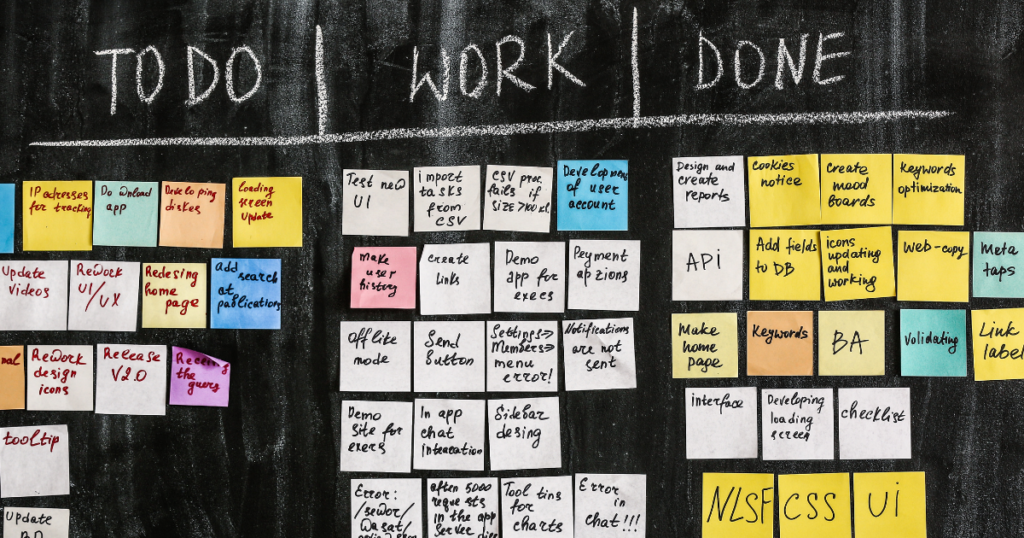
The first step in working with a VEA is to clearly define your tasks and their priorities. List out everything you need help with—from calendar management to website updates. Then, prioritize each task based on urgency and importance. When your VEA understands what needs to be tackled first, they can manage time effectively and meet your expectations.
Tips:
- Use a shared document to list all tasks and update it as priorities change.
- Label tasks with priority levels (high, medium, low) for clarity.
2. Use Task Management Tools

Keeping tasks organized is key to productivity. Task management tools like Trello, Asana, or Monday.com can help you assign tasks, set deadlines, and track progress in real-time. Your VEA can log into these tools daily to see what’s on the agenda, allowing for seamless updates and communication. These platforms also keep you updated without needing constant check-ins.
Suggested Tools:
- Trello for simple, card-based task tracking.
- Asana for detailed project management with task dependencies.
- Google Tasks for quick and easy task lists.
3. Delegate Administrative Tasks Efficiently

Image recommendation: An inbox with organized folders, labeled “Emails,” “Schedules,” “Meetings.”
Administrative tasks can consume a significant portion of your day. Delegate tasks such as email management, calendar scheduling, and report preparation to your VEA. By handling these repetitive but essential tasks, your VEA frees you up to focus on higher-level priorities. To make delegation easier, provide templates or guidelines for common tasks.
Common Tasks to Delegate:
- Sorting and responding to emails.
- Scheduling meetings and managing your calendar.
- Preparing and organizing weekly reports.
4. Streamline Communication for Clarity

Clear communication is the backbone of successful task management with a VEA. Choose reliable communication channels that suit your style, such as Slack for quick updates or Zoom for in-depth discussions. Regular check-ins also help align on goals, address concerns, and adjust priorities when needed. A well-structured communication plan reduces misunderstandings and keeps both you and your VEA in sync.
Communication Tips:
- Use Slack for instant updates and quick questions.
- Schedule weekly Zoom calls for a deeper review of ongoing projects.
- Maintain a shared calendar for task deadlines and reminders.
5. Share Relevant Resources and Access

Equip your VEA with all the necessary resources they need to complete tasks effectively. This could include access to shared drives, school policy documents, or project templates. A centralized folder for all resources saves time and prevents back-and-forth communication for basic information.
Recommended Resources to Share:
- Templates for reports, emails, or content creation.
- Access to your school’s social media accounts or website CMS.
- Important documents like school policies and strategic plans.
6. Delegate Social Media and Content Creation

A VEA can also assist in managing your school’s social media presence. Delegate tasks like creating posts, scheduling updates, or responding to comments. Providing them with guidelines on tone and content can help maintain your school’s brand identity online. By letting your VEA handle these tasks, you ensure a consistent social media presence without it becoming a time drain.
Suggested Social Media Tasks:
- Drafting and scheduling social media posts.
- Monitoring and responding to messages and comments.
- Creating graphics or infographics to accompany posts.
7. Track and Review Progress Regularly

To keep tasks on track, it’s important to review your VEA’s progress regularly. Set up weekly or bi-weekly reviews to discuss completed tasks, address any roadblocks, and adjust upcoming priorities. This ongoing feedback loop allows both of you to refine processes and improve productivity over time.
Best Practices for Reviews:
- Use a simple progress report template for updates.
- Schedule reviews to keep check-ins consistent.
- Provide constructive feedback on task completion.
8. Allow Room for Initiative and Improvement

Encourage your VEA to take initiative and suggest improvements. VEAs often bring fresh perspectives and might notice more efficient ways to handle tasks. By fostering an environment where they can share ideas, you can benefit from innovations that save time and boost productivity.
Ideas to Encourage Initiative:
- Ask for their feedback on workflows.
- Let them propose improvements for task processes.
- Encourage them to share ideas on streamlining routines.
9. Provide Feedback and Recognition

Regular feedback and recognition are essential for a motivated and effective assistant. Celebrate small wins and offer constructive feedback when necessary. When your VEA feels appreciated and supported, they’re more likely to stay engaged and committed to their role.
Tips for Giving Feedback:
- Start with positive feedback, then move to areas for improvement.
- Be specific with examples so they can understand exactly what went well or could be better.
- Express appreciation to build a positive working relationship.
Conclusion
Managing multiple tasks with a Virtual Executive Assistant can transform the way you handle daily operations at school. By defining tasks, setting clear communication practices, and providing consistent feedback, you create an environment where your VEA can excel. Remember, task management is a team effort, and with the right approach, your VEA can significantly contribute to your school’s success.
Call to Action:
If you’re ready to delegate and streamline your workload, consider working with a Virtual Executive Assistant from Edu Virtual Support. Connect with us to learn how we can support your school’s unique needs today!